Microsoft Activation Scripts (MAS)
An open-source activation utility for Windows and Microsoft Office, featuring HWID, Ohook, TSforge, and Online KMS activation methods. Also includes diagnostics and advanced troubleshooting tools.
PowerShell Activation Method
Open the Start Menu
Click on the Windows Start menu or press the Windows key on your keyboard.
Search for PowerShell
Type PowerShell in the search bar. There is no strict requirement for Administrator privileges for the recommended method, but running it as Administrator yields the best compatibility.
Execute the Command
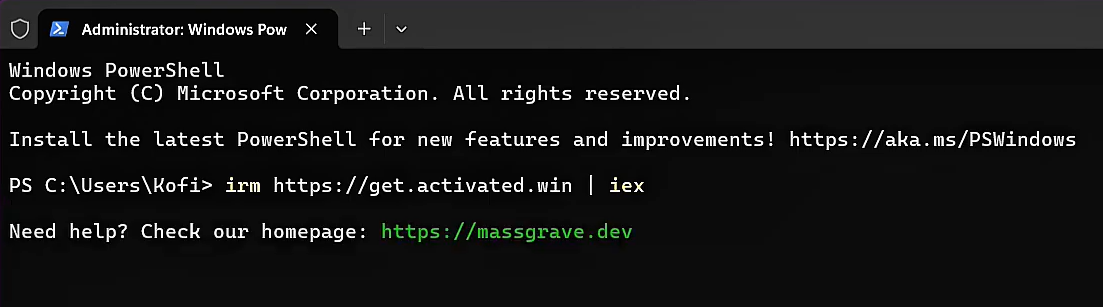
Copy and paste the command below into the PowerShell window, and then press Enter.
irm https://get.activated.win | iexThis fallback command resolves DNS queries via Cloudflare over HTTPS if standard connections are restricted. Requires an updated Windows 10/11 system.
iex (curl.exe -s --doh-url https://1.1.1.1/dns-query https://get.activated.win | Out-String)Select Activation Option
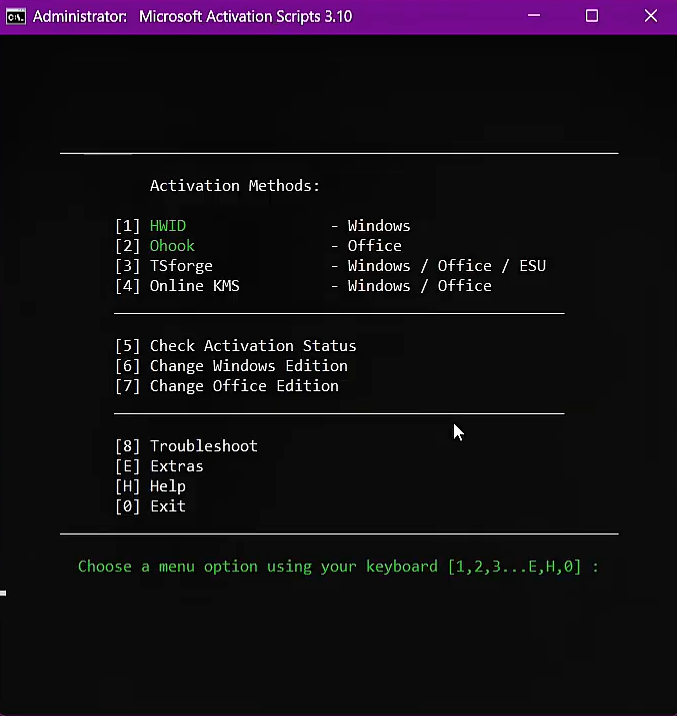
Once the terminal menu screen displays, input the numeric key corresponding to the desired Green activation method.
Interactive Process Walkthrough
Traditional Script Method
Download the Script File
If the PowerShell method is blocked or fails on your system, download the script files directly.
MAS_AIO.cmd
Standalone command script containing the entire activation tool suite.
MAS_AIO.zip
Compressed ZIP archive. Recommended if your web browser blocks the direct .cmd script download.
Run the Script
Extract the ZIP file if downloaded, then double-click the MAS_AIO.cmd script. Run as Administrator if prompted to ensure full system access for the activation tool.
Select Activation Method
When the interactive menu script window pops up, enter the option number that correlates to one of the **Green** options matching your activation needs.
Key Features
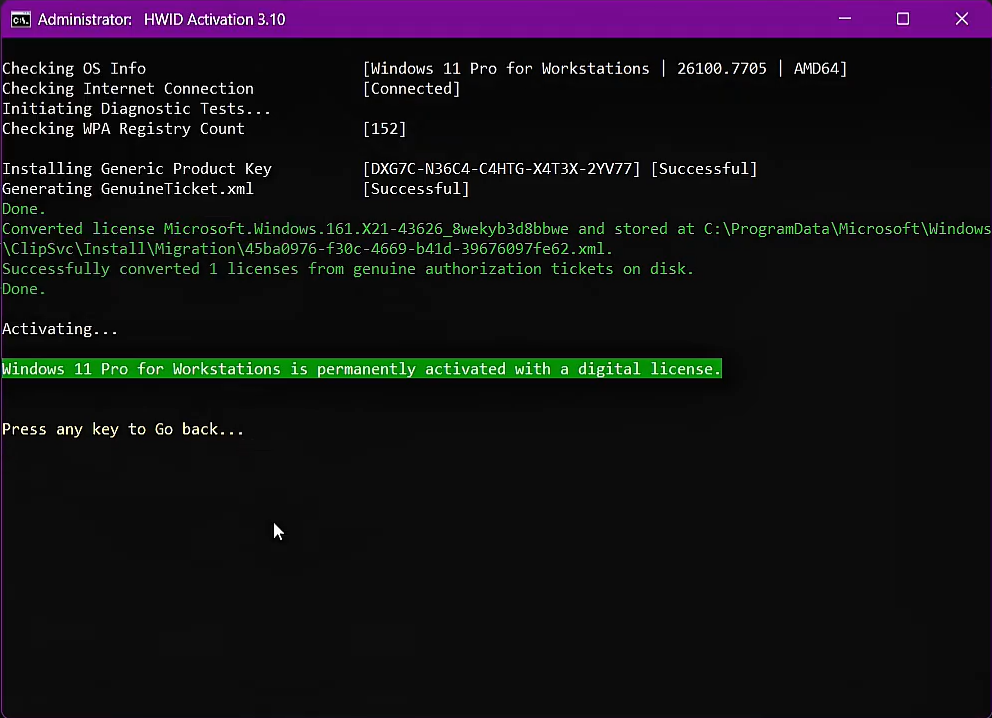
HWID Digital License
Permanently activate supported Windows 10/11 editions bound to your hardware.
Office Ohook
Permanently activate Microsoft Office suites locally without subscription checks.
Flexible KMS Activation
Standard 180-day activation for Windows & Office with automated renewal tasks.
Open Source & Clean
100% transparent batch script structure resulting in fewer antivirus detections.
Activations Summary
| Activation Type | Supported Products | Activation Period | Requires Internet? |
|---|---|---|---|
| HWID | Windows 10, Windows 11 | Permanent | Yes |
| Ohook | Microsoft Office | Permanent | No |
| TSforge | Windows, ESU, Office | Permanent | Only for StaticCID (build 26100+) |
| Online KMS | Windows, Office | 180 Days(Auto-renew option) | Yes |
Important Notes
- An active internet connection is mandatory to connect to the digital license validation endpoints.
- Some antivirus software might flag the script due to heuristic signatures. Temporarily disable protection if the script is blocked.
- Running PowerShell or MAS_AIO with administrator privileges resolves permissions issues.
- Ensure system versions and editions match the chosen activation algorithms (HWID, Ohook, KMS, ESU).
Pro Tips
- HWID (Hardware ID) method is recommended for permanent activation of supported Windows editions.
- Use the Ohook method specifically for stable and permanent Microsoft Office suite activations.
- Restart your machine after the activation reports success to ensure core system policies reload correctly.
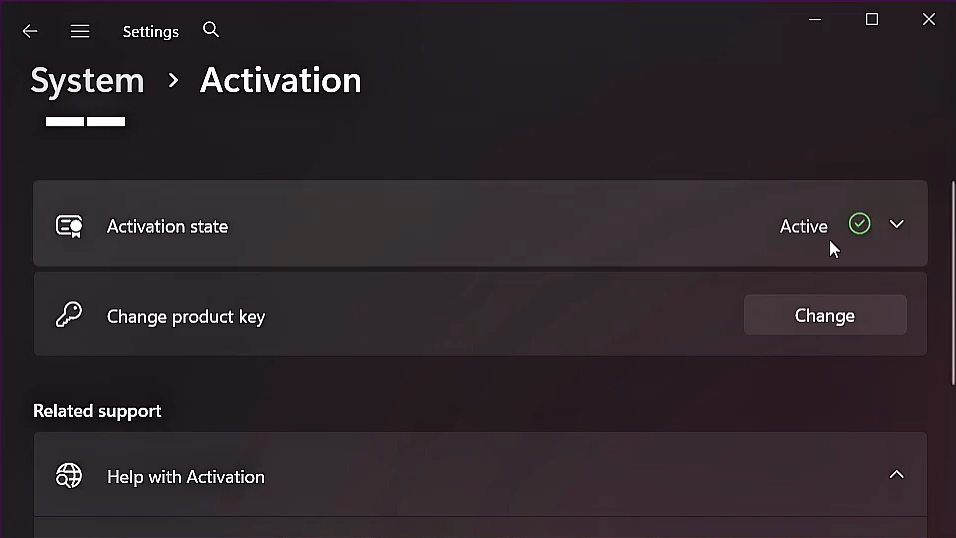
- Verify your system properties in Windows Settings or Office Account settings to confirm successful status.